
In the Contacts tab, you can:
-
Double-click a contact to phone or IM (depending on how double-clicking is configured in Preferences > Application)
-
Click a contact to view the flyout
-
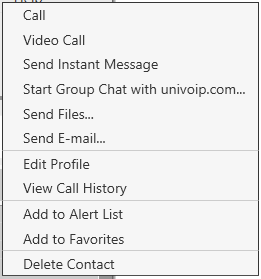
Right-click to show the menu below
Contact Groups
UniVoIP App has built-in groups. A contact must belong to at least one group. You can perform the following actions to the group:
-
Send Broadcast IM
-
Start group chat
-
Add to Alert list
-
Add to Favorites
Adding, Deleting or Renaming Groups
Select any group, right-click, and choose the appropriate menu item.