
-
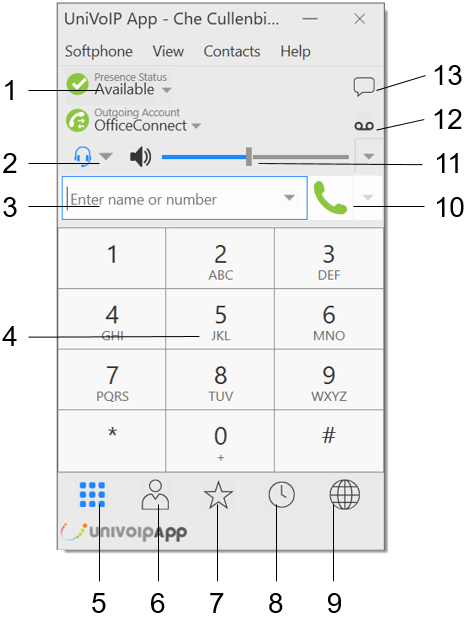
Your current status (presence shown to coworkers).
-
Headset / Speakerphone toggle.
-
Enter contact name or number to call.
-
Dial Pad: use your mouse or computer number keys.
-
Show the Dial Pad.
-
Show your Contacts.
-
Show your Contacts marked as Favorites.
-
Show your Recent Call List.
-
Show your Device Settings.
-
Place a call to the target in field #3.
-
Speaker Volume Slider.
-
Voicemail Button with new message indicator.
-
Instant Message Button.