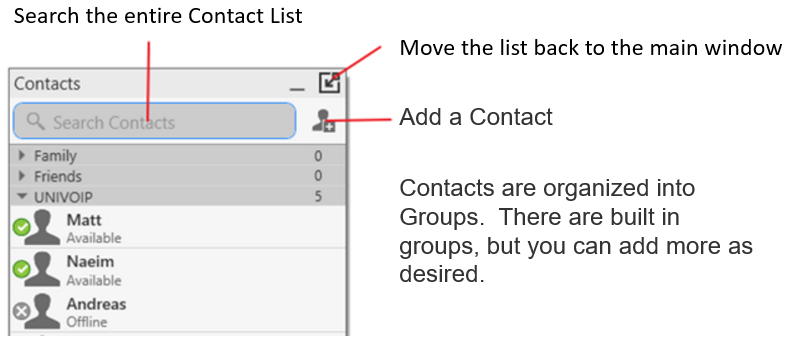
The Contacts window displays your contacts. Each contact is shown with presence information and icons for single-click to phone or IM.
If the Contacts tab is not showing, go to the main menu and choose View > Show Contacts.
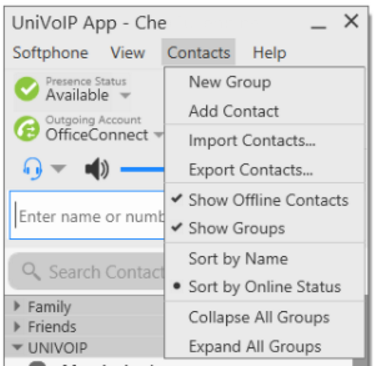
You can change the detail and layout of the contact list: from the main menu choose Contacts and set the desired options.