
Status Scheduler
You can create your own schedule and assign a Status that starts at the time you need. For example: You have a brainstorming meeting that starts at 10am every Monday. You can create a schedule so that your Status is automatically changed to "In a meeting" (or whatever status you want) on Mondays starting at 10am.
How to create a schedule:
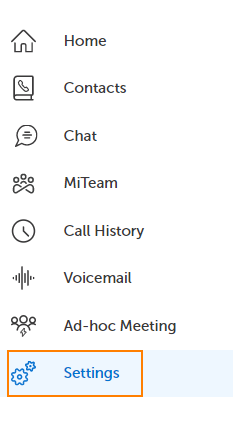
1.Click on Settings in the left navigation panel.
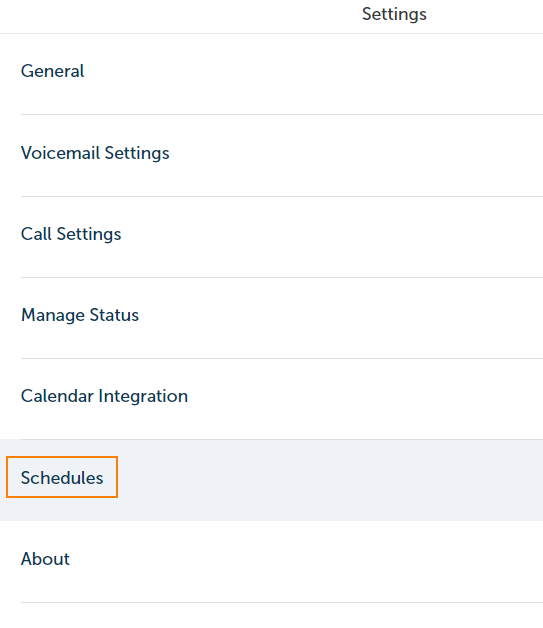
2. Click on Schedules in the middle panel.
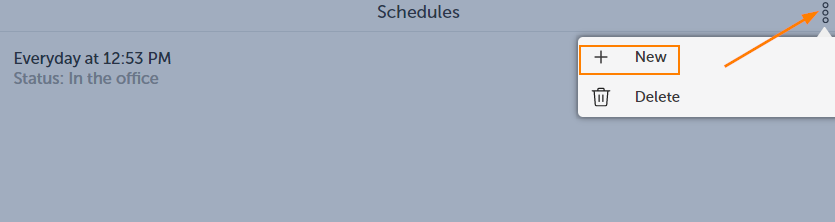
3. Click on the More Icon, then click on New.
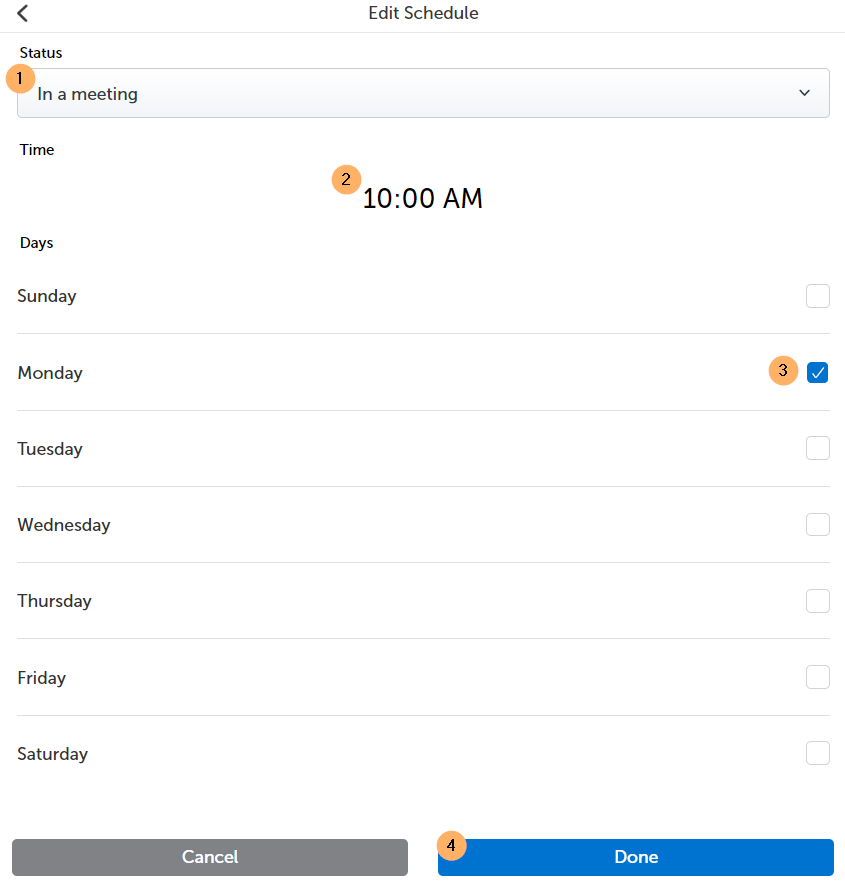
4. Select the Status you want to show, the time of day, the days required and click Done.
5. You can now toggle (on or off) the Status Schedule you just created by clicking the toggle button.


Return to the MiCollab Web Portal Main Menu