
Enter a Number to Dial
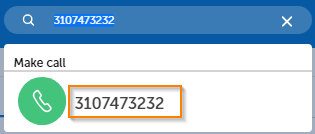
You can enter a number or copy and paste a number into the Search or Dial field located at the top of the interface.

After the number is in the field, click on the number in the pop up just below the field to place the call.
Please note: This will trigger a call to whichever endpoint you have selected in the Call Settings area.
Return to the MiCollab Web Portal Main Menu