
Call Control
Once you are on a call, the MiCollab Web Portal allows you to control the active call.
The picture below shows what the portal looks like when you are on an active phone call.
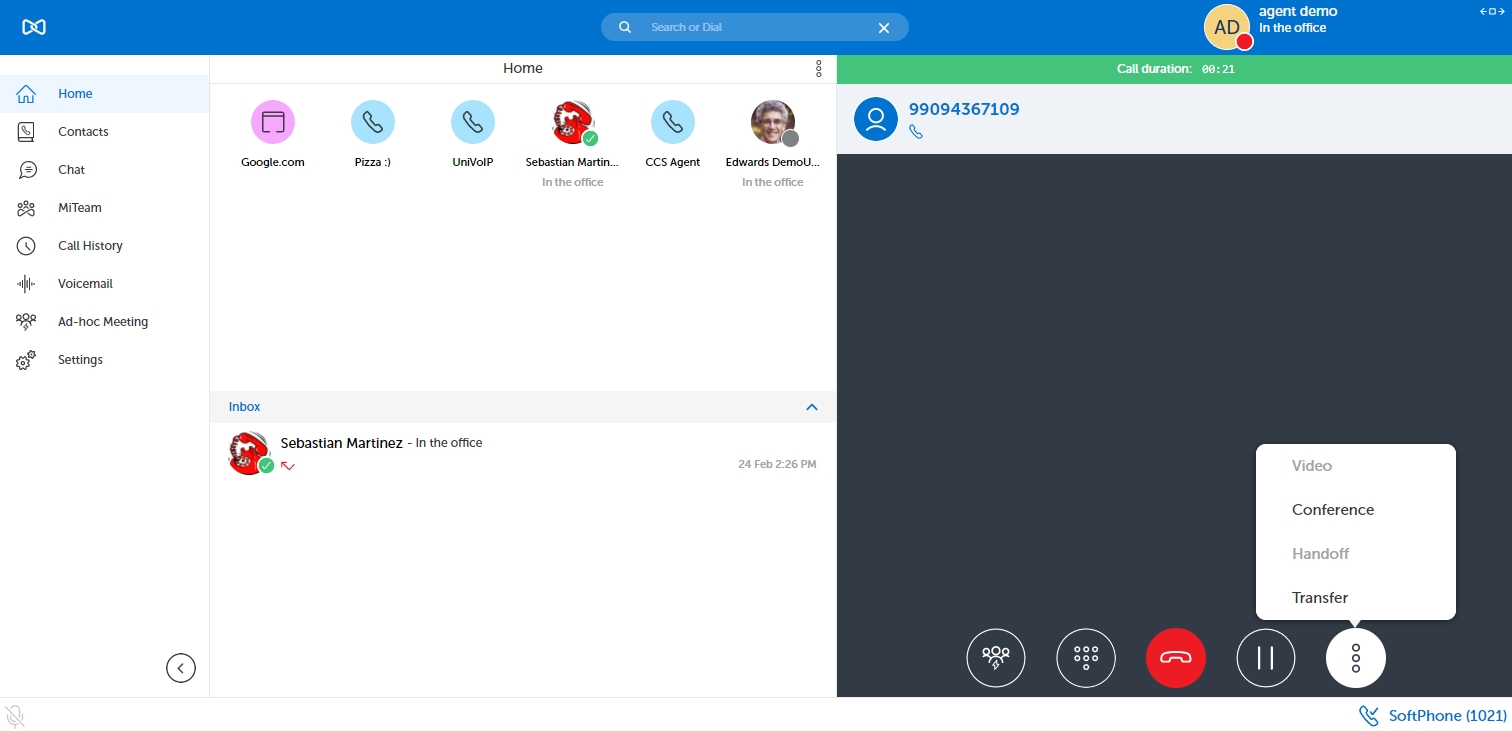
The call control options located on the right hand of side of the screen allow for:
-
Dialpad (in case you need to provide touch tones during the call)
-
Conference (in case you need to add up to six other parties to the call)
-
Transfer (in case you need to transfer the call somewhere)
-
Hold (in case you need to place the call on hold)
-
Hangup (in case you need to end the call)
-
Video (MiCollab to MiCollab)
...and my all time personal favorite
-
Handoff (for moving the call to another one of your endpoints without the call hanging up)
Return to the MiCollab Web Portal Main Menu