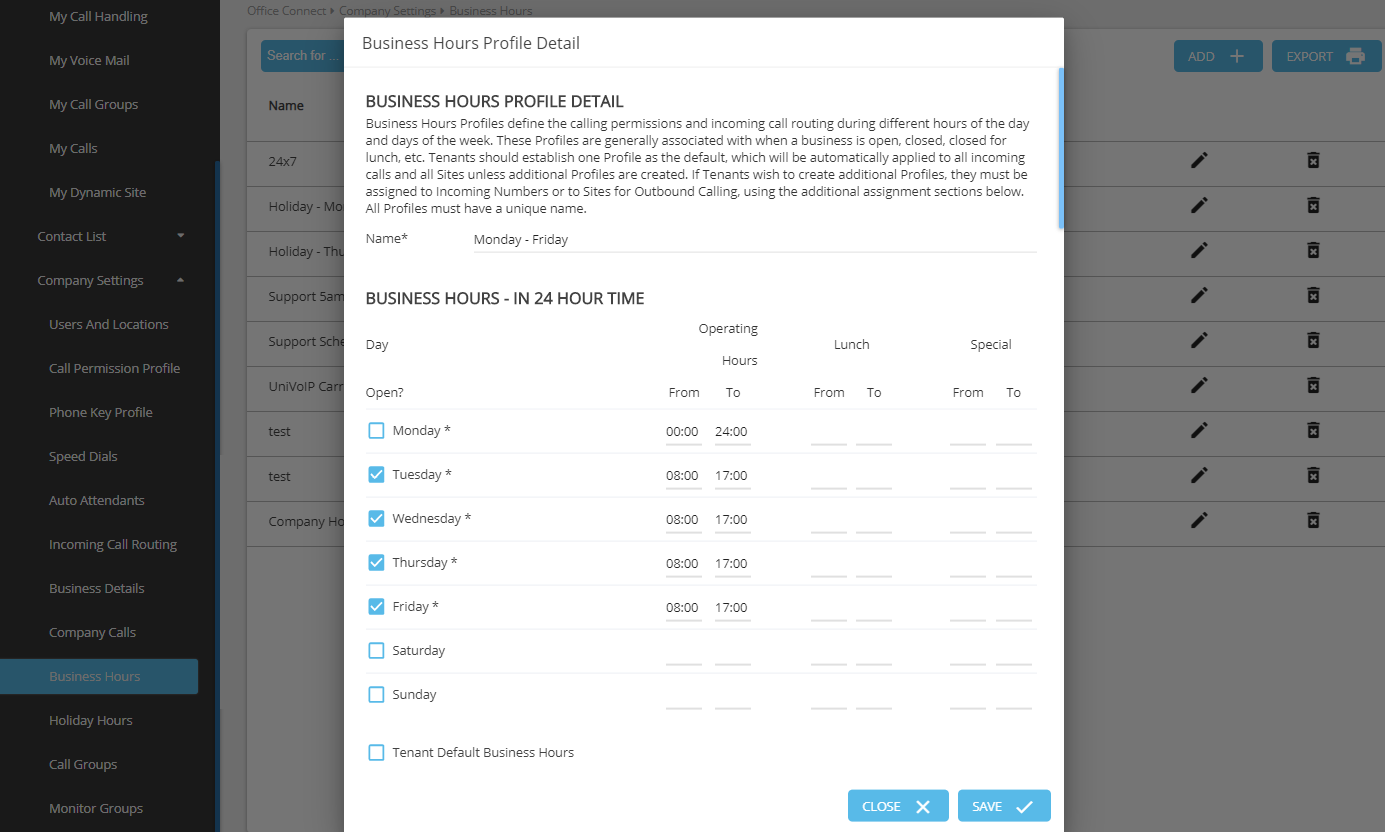
Once you configure Business Hours details, you can select the default profile.
To select the Tenant Default Business Hours, follow these steps:
-
Expand Company Settings and click Business Hours in the left menu.
-
Click on the Business Hour Profile you want to set as default.
-
In the Business Hours Profile Detail, check mark the Tenant Default Business Hours.
-
Click Save.