Method 1: A single key to transfer to any coworker’s voicemail box
How to Configure
-
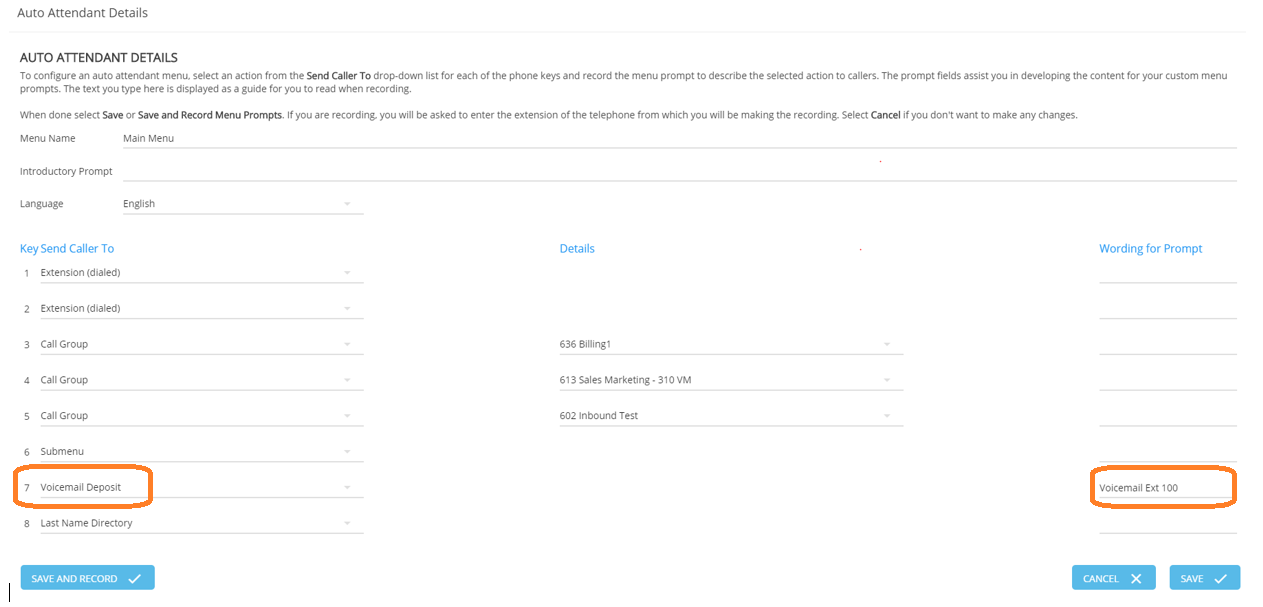
Create an Auto Attendant or re-use one that has an available selection (0-9, #, *)
-
In the drop down of this selection pick – Voice Mail Deposit
-
On the phone (s) that needs to do the transferring – create a button with a speed dial to this Auto Attendant (e.g. extension 7xxx)
How to Use
-
Call comes in and the caller is to be transferred to Voicemail.
-
Hit Conf, Speed Dial (to Auto Attendant), select the menu option defined above, (wait for VM deposit prompt), dial ext of person you wish to transfer to, hang up.
Method 2: A key dedicated to transfer to one specific coworker’s voicemail box
How to Configure
-
Create a Linear Hunt Group and label it “Transfer to <name’s> VM”. Record the extension of the group (e.g. 6xxx)
-
Place no members in this group.
-
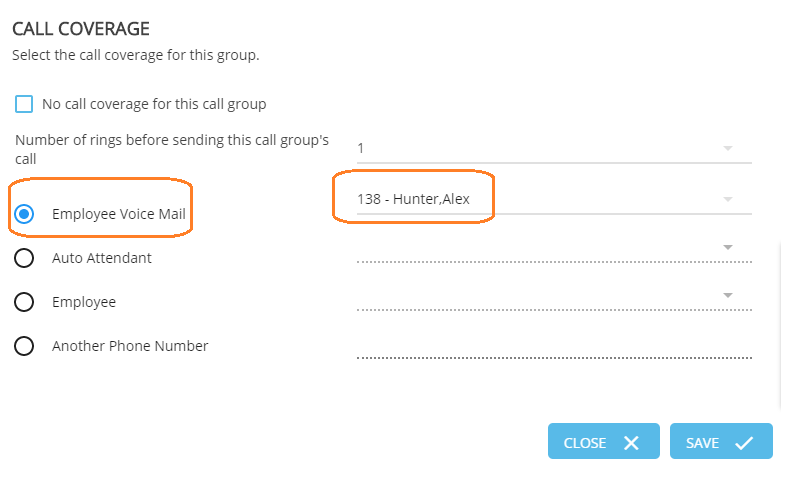
Define Call Coverage for this group as Employee Voice Mail and select the specific party to whom you want to transfer directly to VM. Save.
-
On the phone(s) that needs to do the transferring – create a button with a speed dial to this Group.
How to Use
-
Call comes in and the caller is to be transferred to Voicemail.
-
Press Transfer, press the speed dial key for the Transfer to VM key, press Transfer