
Working with Web Chat Media (if configured)
When it's your turn to handle an ACD Web Chat interaction, you will get a pop up notification regarding the inbound interaction.
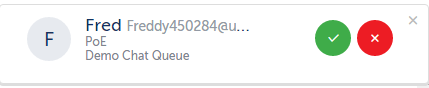
Press the green button to accept or the red button to reject the interaction.
Alternatively , you can accept or reject the interaction from the Inbox.
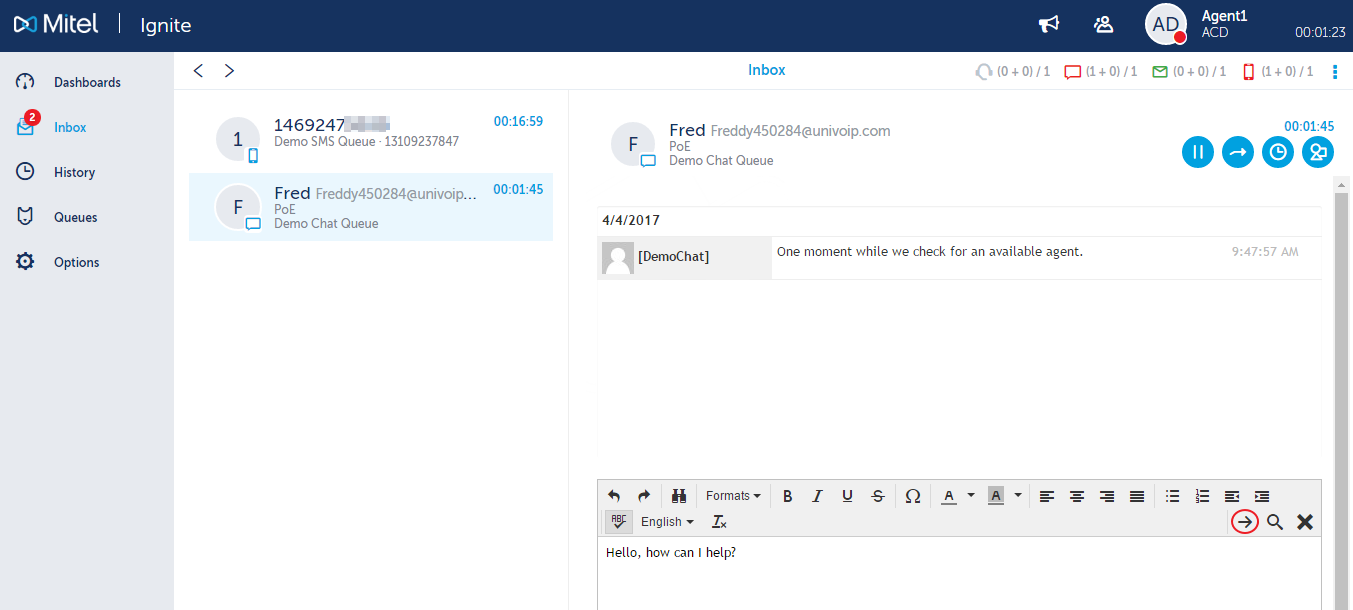
Enter your initial statement, then click the right arrow to send.
If you have already accepted the interaction, but you need to transfer the interaction to another Agent or Queue, you can click on the blue circle with the right arrow in it to transfer it.

If you would like to check to see if this person has any historical Web Chat interactions, you can click on the blue circle with the timer in it, then click on "Customer".

When you are all done with the interaction, press the "X" to end the session.

Return to the Ignite Web Portal for Agents and Supervisors Main Menu