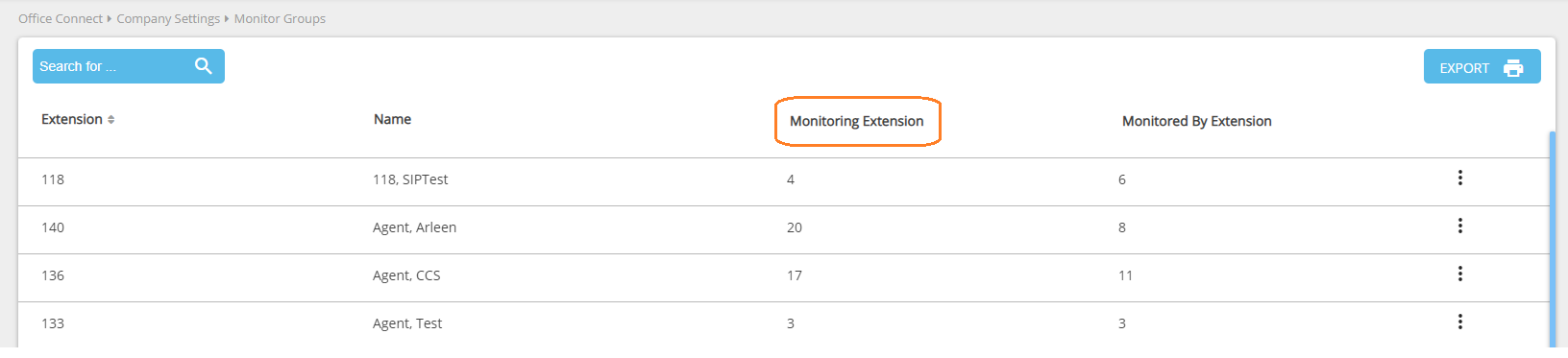
Monitor Permissions - Monitoring Extensions lets you configure which extensions each particular user can monitor and which extensions they can answer.
To allow a user to monitor a specific extension:
-
Expand Company Settings and click Monitor Groups.
-
Locate the user that needs to monitor.
-
Click on the More icon (three dots) and select View Monitoring Extensions. The system will return to the Monitor Permissions page.
-
Locate the user that will be monitored
-
To allow this extension to monitor this particular user, check the Monitor box next to any extension(s) that you need to grant this feature to.
-
To allow this extension to answer calls presented to this particular user, check the Answer box next to any extension(s) that you need to grant this feature to.
-
Checking the Answer box will auto-check the Monitor box so users who are allowed to intercept calls will be able to see the calls as they are presented.
-
-
To monitor additional users, repeat steps 4-6.
-
Click Save.