
Menus allow callers to control their own routing through the ACD by dialing digits on their telephone. Menus built in the ACD system are very similar to silhouette Auto Attendants except ACD Menus have access to route to all ACDs (Queues, other Menus), regardless of whether they have been built as "dialable". Also, ACD Menus can be made to run in the background behind Voice Queue Hold Treatments. This gives callers options (hidden or announced) to exit a Queue on their own initiative, (for example, to record a voicemail rather than waiting).
The Menus page displays all current Menus.
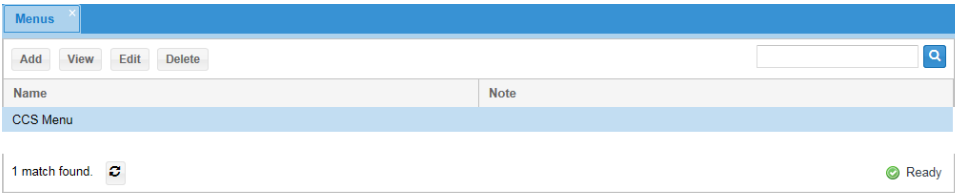
Field Definitions
• Name: the name of the Menu.
• Note: free text notes about the Menu. Actions
• Add: click to add a new menu
• View: select a menu and click to review it without change any of the settings.
• Edit: click to modify the Menu and its Options.
• Delete: click to delete the Menu.
Create or Edit Menus
To create or edit a menu, follow these steps:
1. Click Add to create a new menu or click Edit for an existing Menu.
2. Complete the fields as described below.
3. Click Save.
Menu Info:
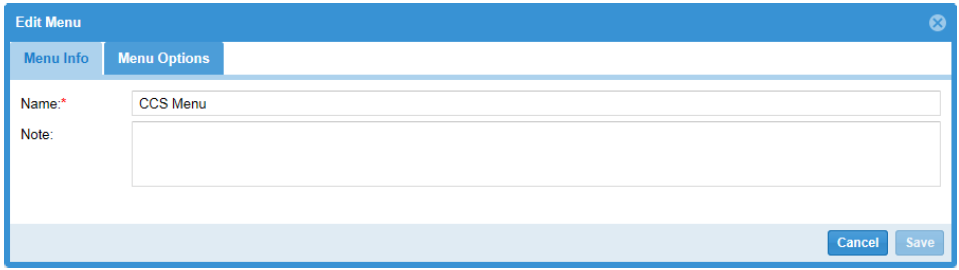
Field Definitions
• Name: the name of the Menu; can only contain letters, numbers and spaces.
• Note: a brief free-form description or note.
Once these parameters have been saved for the first time, use the Menu Options tab to further define the menu. Initially empty, it presents the list of digits that will be listened for when a caller is using this Menu.
Menu Options:
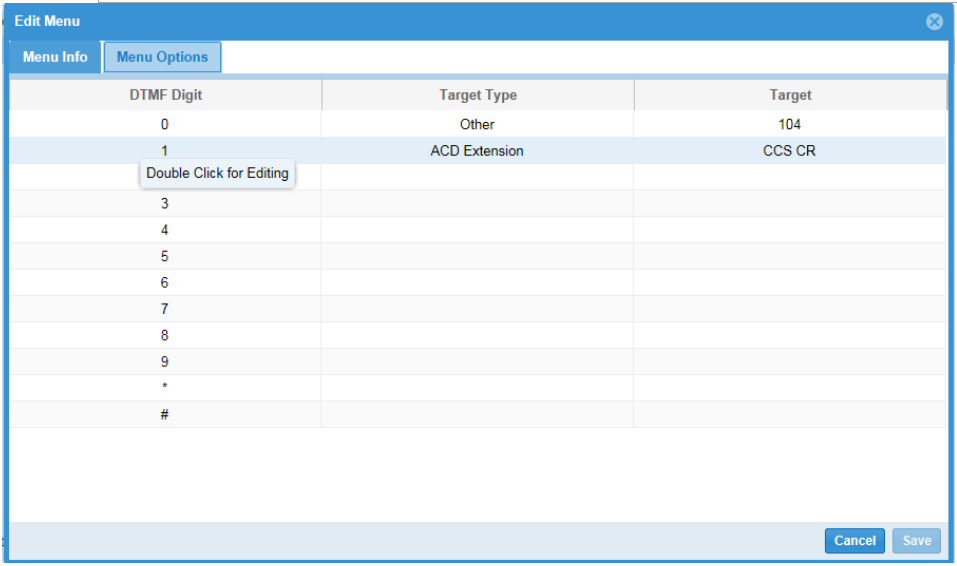
Field Definitions
• DTMF: the digit the Option is listening for. * and # are also permitted.
• Target Type: the ACD type for the Transfer Number, or Other.
• Target: the extension to which the call is routed if the digit is heard.
Delete Menus
To delete a menu, follow these steps:
1. On the Menus page, click Delete.
2. In the pop-up window, click Confirm Delete.
|
If the Menu was defined as "Dialable", this action also deletes the Menu from the Admin/User Portal on the ACD Applications page. Within a few hours the SIP terminal created for this menu also disappears from the Phone Inventory page. |
|---|