
The Three Panels
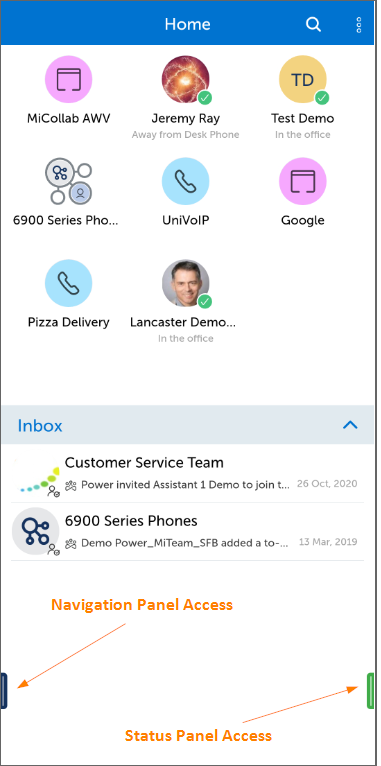
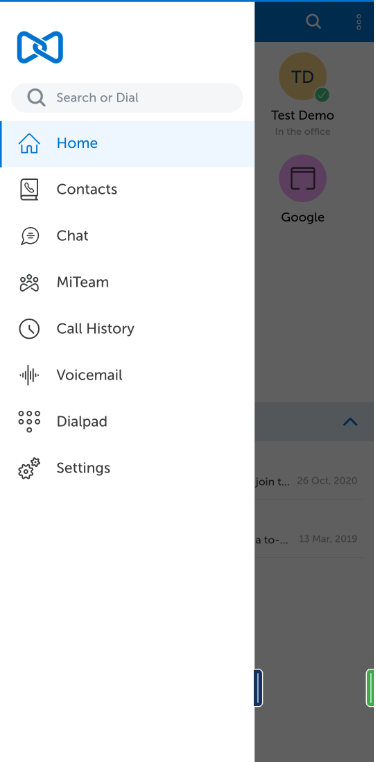
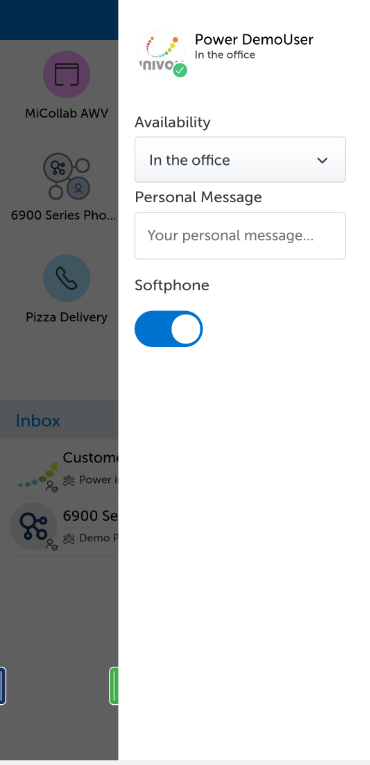
The MiCollab Mobile Interface starts you out with a Home Screen. There is a Navigation Panel on the left side that you can bring into view by pressing the small red bar located near the bottom left of the Home Screen. There is a Status Control Panel on the right side that you can bring into view by pressing the small green bar located near the bottom right of the Home Screen. If the bar on the right is red, that indicates that your Softphone is not currently enabled.
Home Screen Shown Below
Left Side Navigation Panel Shown Below
Right Side Status Control Panel Shown Below
Return to the MiCollab for Mobile Main Menu