
Call History
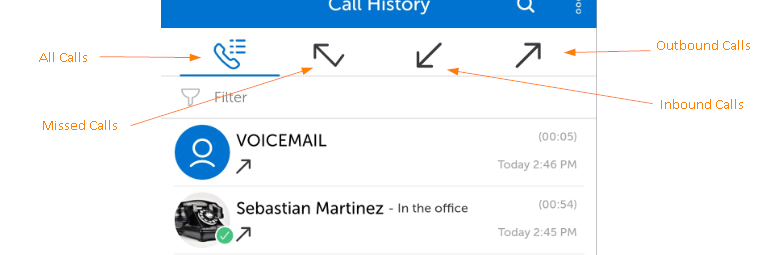
Your Call History will display your inbound and outbound calls.
To get to Call History, tap "Call History" in the Left Panel
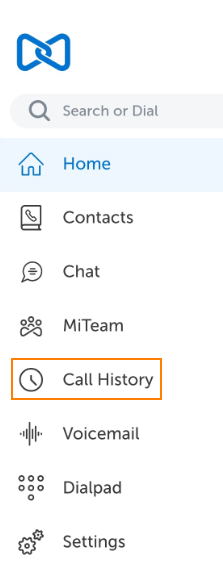
The image below shows the Call History Interface
-
You can search your call history using the search field
-
You can sort the calls by type using the arrow icons
-
You can tap on any entry to bring up more information and functionality related to the entry....like a handset icon that can be used to initiate a call to the target.
Return to the MiCollab for Mobile Main Menu