Portal Password
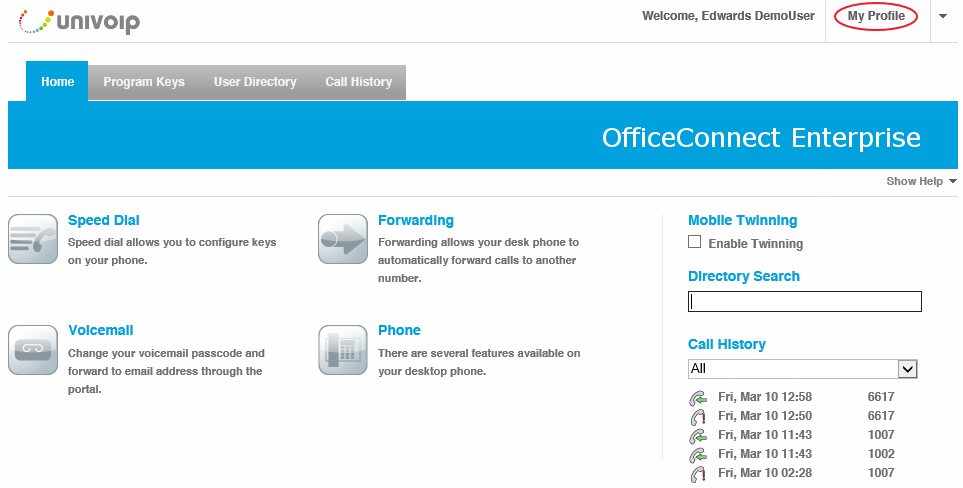
Click on "My Profile" located near the upper right of the screen.
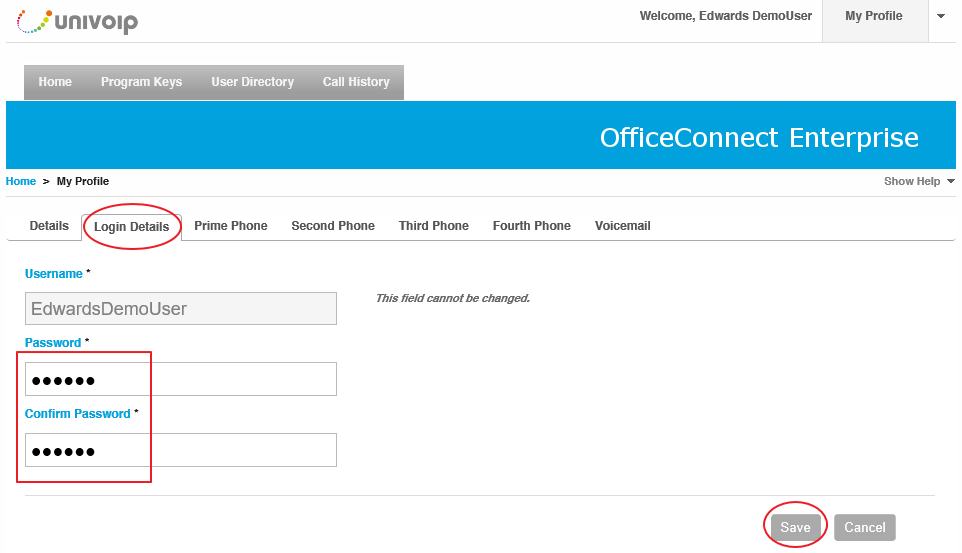
Click the "Login Details" Tab. Enter and confirm your new portal password, then press "Save".
Back to the Enterprise User Portal Menu

Click on "My Profile" located near the upper right of the screen.
Click the "Login Details" Tab. Enter and confirm your new portal password, then press "Save".
Back to the Enterprise User Portal Menu