
Access the MiCollab Audio, Web and Video Conferencing Interface
Due to the single tenant architecture of UniVoIP's Enterprise Edition, each customer will have their own unique URL for portal access. See your Welcome Email for the correct URL and Username to use. A second email sent right after the Welcome Email will contain your Password.
Supported Browsers
-
Microsoft® Internet Explorer® (IE) 10 or 11
-
Mozilla® Firefox® 41 or later
-
Apple® Safari 9.0 or later
-
Google Chrome 46 or later
-
Microsoft Edge 20.
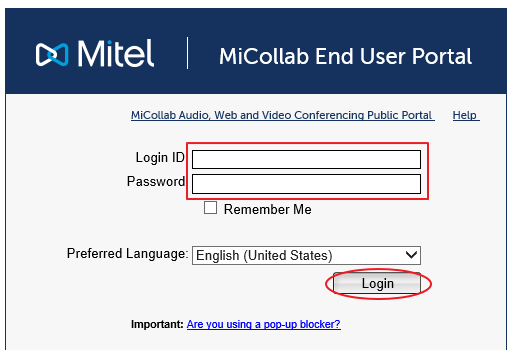
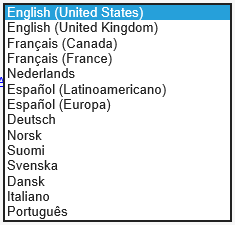
From the login page
-
Enter your MiCollab Username and Password
-
Select your preferred language (this is optional, English is the default)
-
Click the "Login" button
If prompted to change your password, fill in the new password form and save.
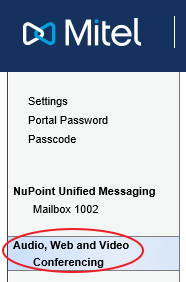
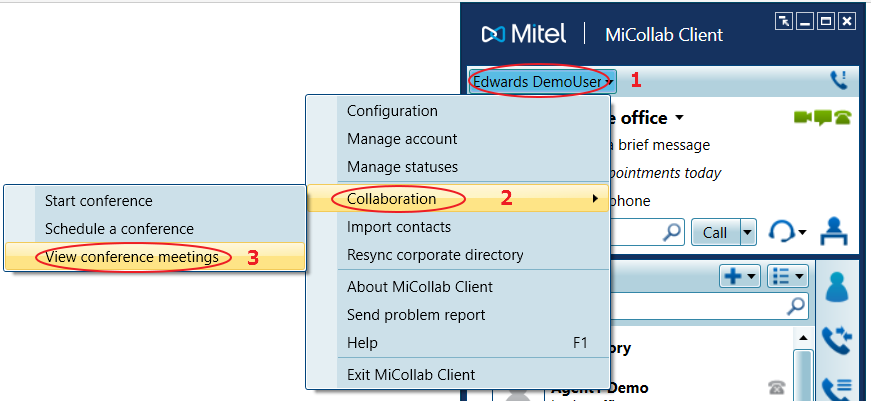
Please note: The MiCollab AWV Portal can also be accessed from the main drop down menu in the MiCollab Desktop Client as seen in the image below.
Back to the MiCollab Audio Web Video Conferencing (AWV) Menu