
Pairing Handset
To pair a handset to the 6940 follow the instructions below
-
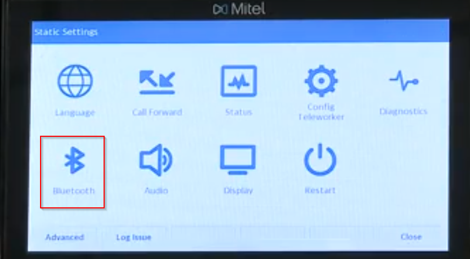
Navigate to the Bluetooth menu
-
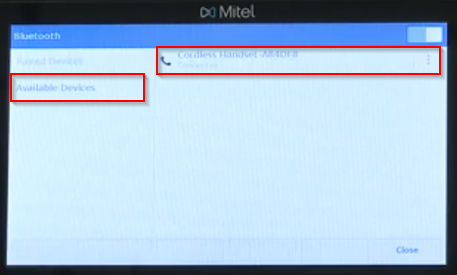
Check for available devices ready to pair
-
When you see the handset on the menu click on it and the devices should pair
-
Now your handset should be paired to your Mitel 6940
Troubleshooting
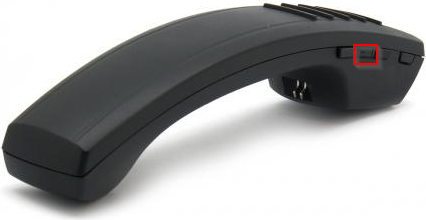
If your 6940 is not pairing press and hold the middle button on the handset.
On the phone navigate to the Bluetooth and look at availability. The device should appear and pair after selecting it.