
MiTeam Stream
A Stream is a new kind of collaboration space designed to enable collaboration for teams, projects, and topics.
A MiTeam licensed Power User can create as many Streams as he or she needs.
In a Stream, you can store files, hold chats, add to-do lists, and set up online Meet sessions.
To Create a New Stream
MiCollab Web
-
From within MiCollab Web, click on "MiTeam" in the left navigation panel.
-
-
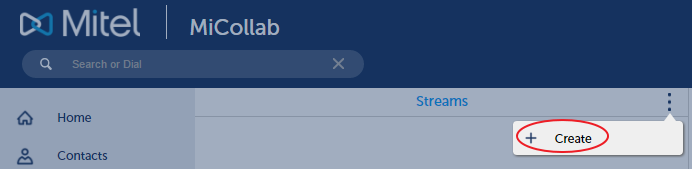
In the center window, click on the More Icon (3 vertical dots), then click on "Create".
-
-
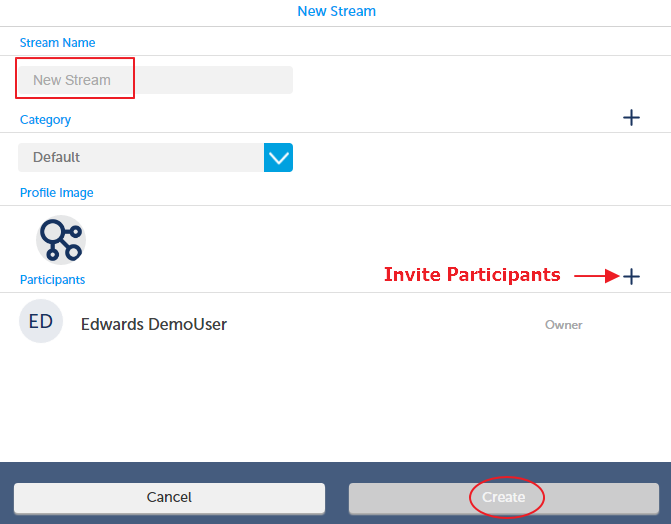
In the right window, name the Stream, choose or create a Category (optional), invite your participants and click "Create".
-

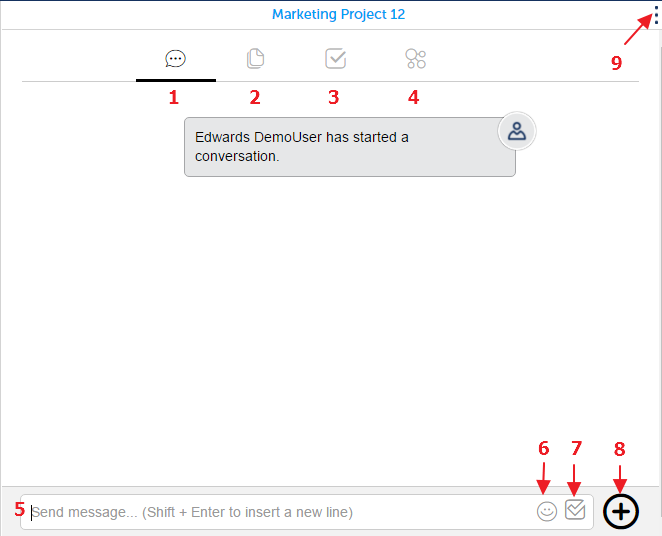
This is what the browser based interface looks like:
-
Chat Tab
-
Pages Tab
-
To-Do List Tab
-
Meet Tab
-
Chat entry Field
-
Emoticon Button
-
To-Do List Entry Toggle Button
-
Add a File Button
-
Edit Button
-
for changing the Stream Name, Category or Participants
-
MiCollab Mobile
-
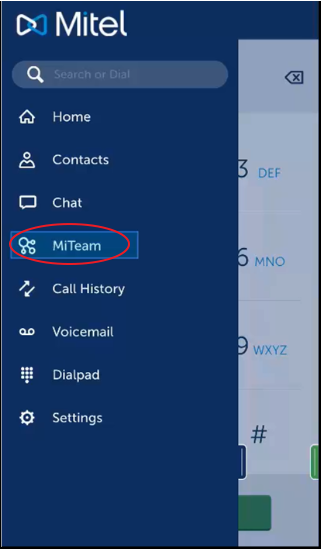
From MiCollab Mobile, Swipe Right and press "MiTeam" in the navigation panel.
-
-
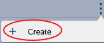
Press the More Icon (3 vertical dots), then press "Create".
-
-
Name the Stream, choose or create a Category (optional), invite your participants and click "Create".
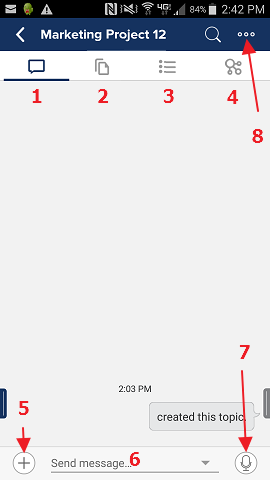
This is what the Mobile based interface looks like:
-
Chat Tab
-
Pages Tab
-
To-Do List Tab
-
Meet Tab
-
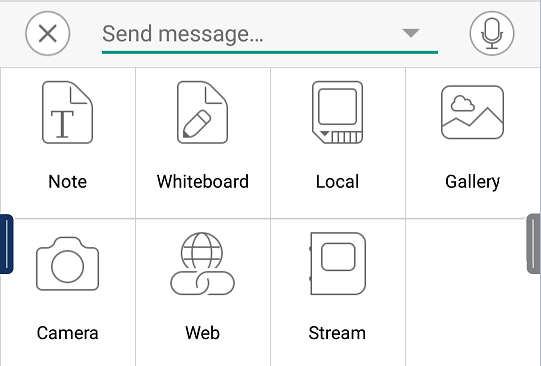
Add Special Items to Chat
-
-
Chat entry Field
-
Record a Voice Clip for the Chat
-
Edit Button
-
for changing the Stream Name, Category or Participants
-
Return to the MiTeam Main Menu