
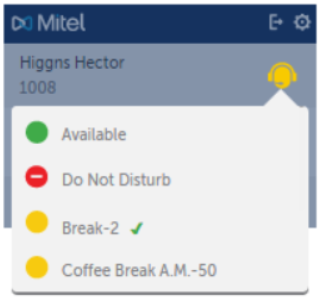
To change your Make Busy and Do Not Disturb settings, click the agent icon on the Integration client, and select the appropriate reason code.
• Do Not Disturb takes precedence over Make Busy.
• When Make Busy is activated, the agent symbol is shown in yellow.
• When Do Not Disturb is activated, the agent symbol is shown in red.
• The currently active reason code is shown with a check mark.
The reason codes are pre-programmed by your system administrator. Reason codes may not be supported on your system.