-
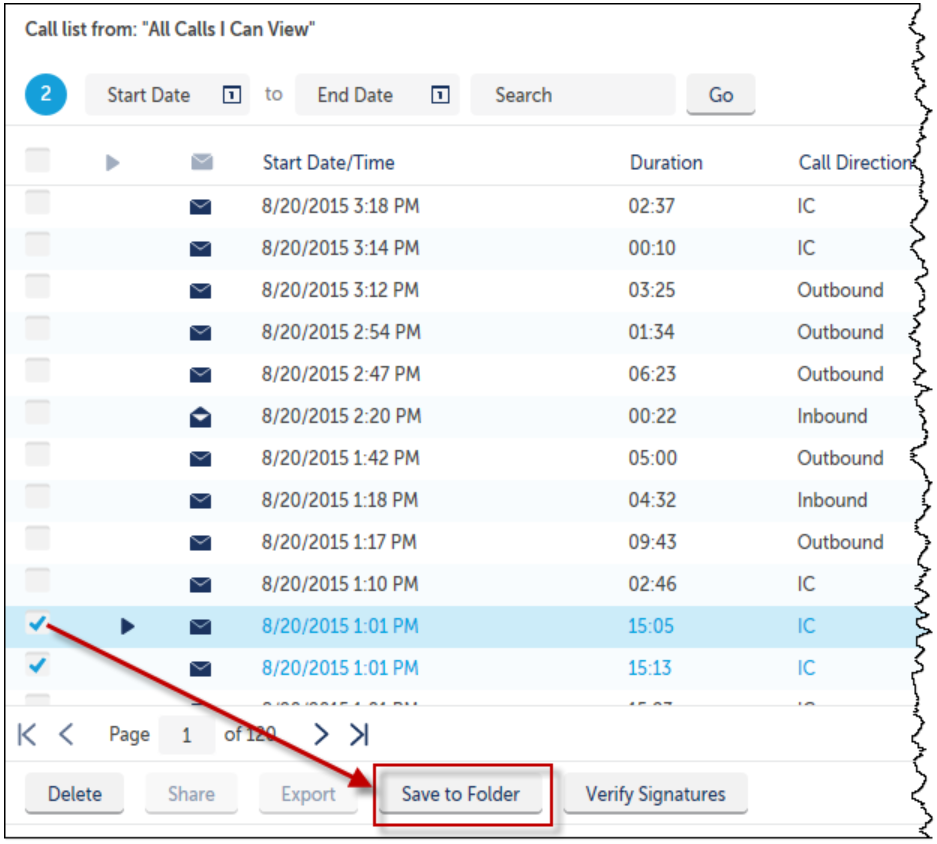
Locate and select the call(s) to add into the folder.
-
Click Save to Folder.
The Add Call Into Folder window opens.
-
Using the drop-down list, select the desired folder into which to add the call(s).
-
Click the Add button.

Locate and select the call(s) to add into the folder.
Click Save to Folder.
The Add Call Into Folder window opens.
Using the drop-down list, select the desired folder into which to add the call(s).
Click the Add button.