
Workflow Condition reports summarize data on conditions contacts meet and the workflow branches contacts follow.
Workflow Condition reports require that, when configuring workflow activities, 'Child Reporting Enabled' is selected for any relevant branches and conditions. If 'Child Reporting Enabled' is not selected, the branch or condition does not display as a reportable option. See either the MiContact Center Installation and Administration Guide or the Multimedia Contact Center Installation and Deployment Guide for more information on workflow activity configuration.
NOTE: For Multimedia Contact Center, Workflow Condition reports display statistics for one workflow per media server.
The Workflow Condition reports are:
• Branch by Condition
• Condition by Branch
• Condition by Condition
Workflow Branch by Condition
The Workflow Branch by Condition report provides the following information. (See Figure 203.)
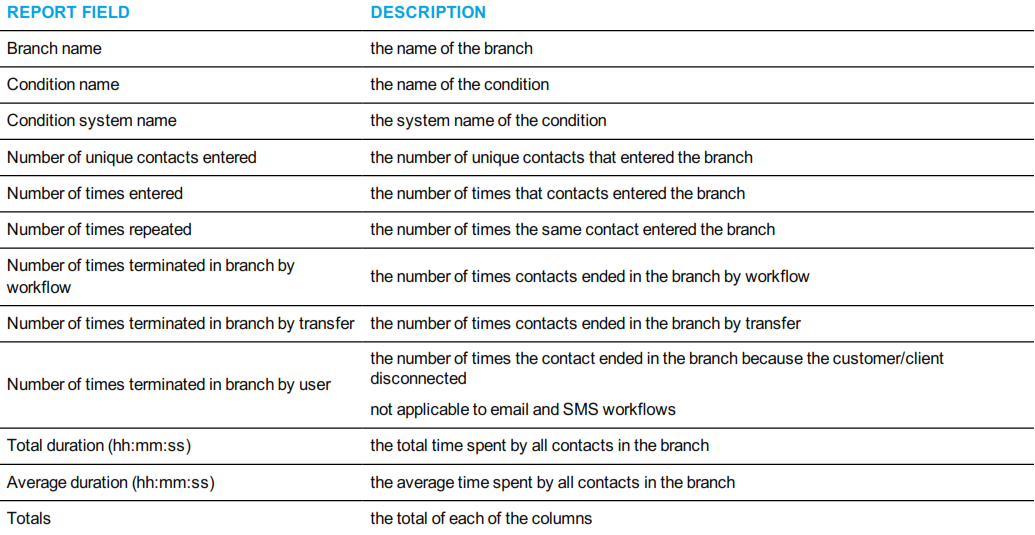

Figure 203: Workflow Branch by Condition
Workflow Condition by Branch
The Workflow Condition by Branch report provides the following information. (See Figure 204.)
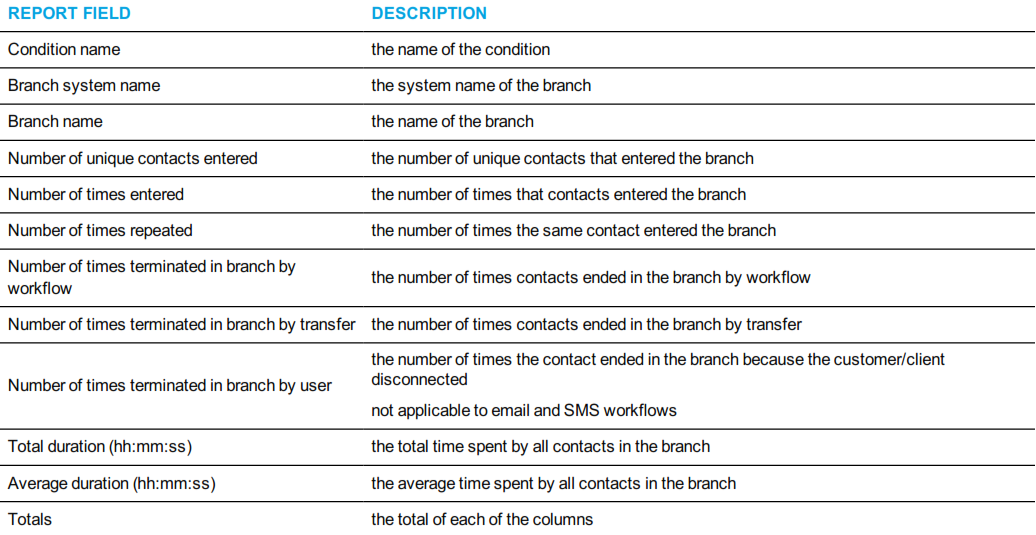
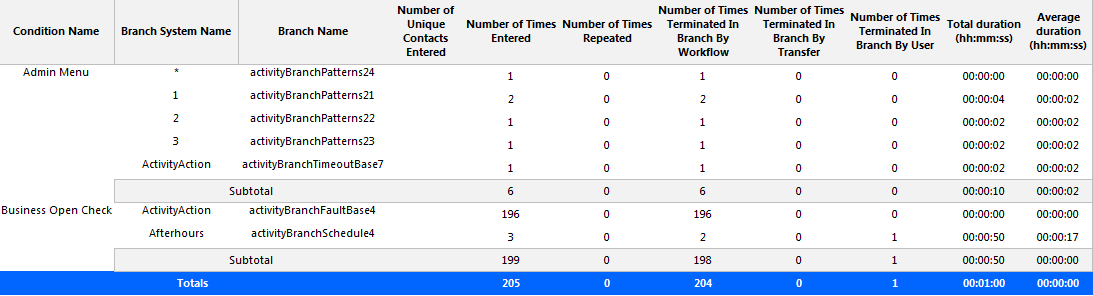
Figure 204: Workflow Condition by Branch
Workflow Condition by Condition
The Workflow Condition by Condition report provides the following information. (See Figure 205.)
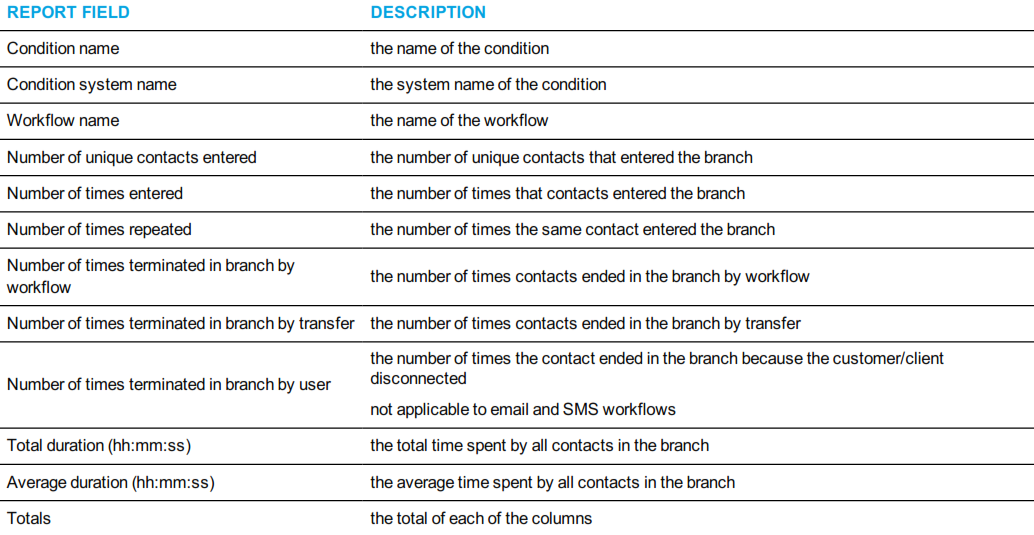

Figure 205: Workflow Condition by Condition